


OCS Inventory Add-On für i-doit
Importieren Sie Hard- und Software-Inventar direkt aus OCS Inventory in Ihre i-doit CMDB – zuverlässig und vollautomatisch.
INVENTARISIERUNG VON HARD- UND SOFTWARE
I-DOIT PRO OCS-INVENTORY ADD-ON

Videos
SCREENSHOTS
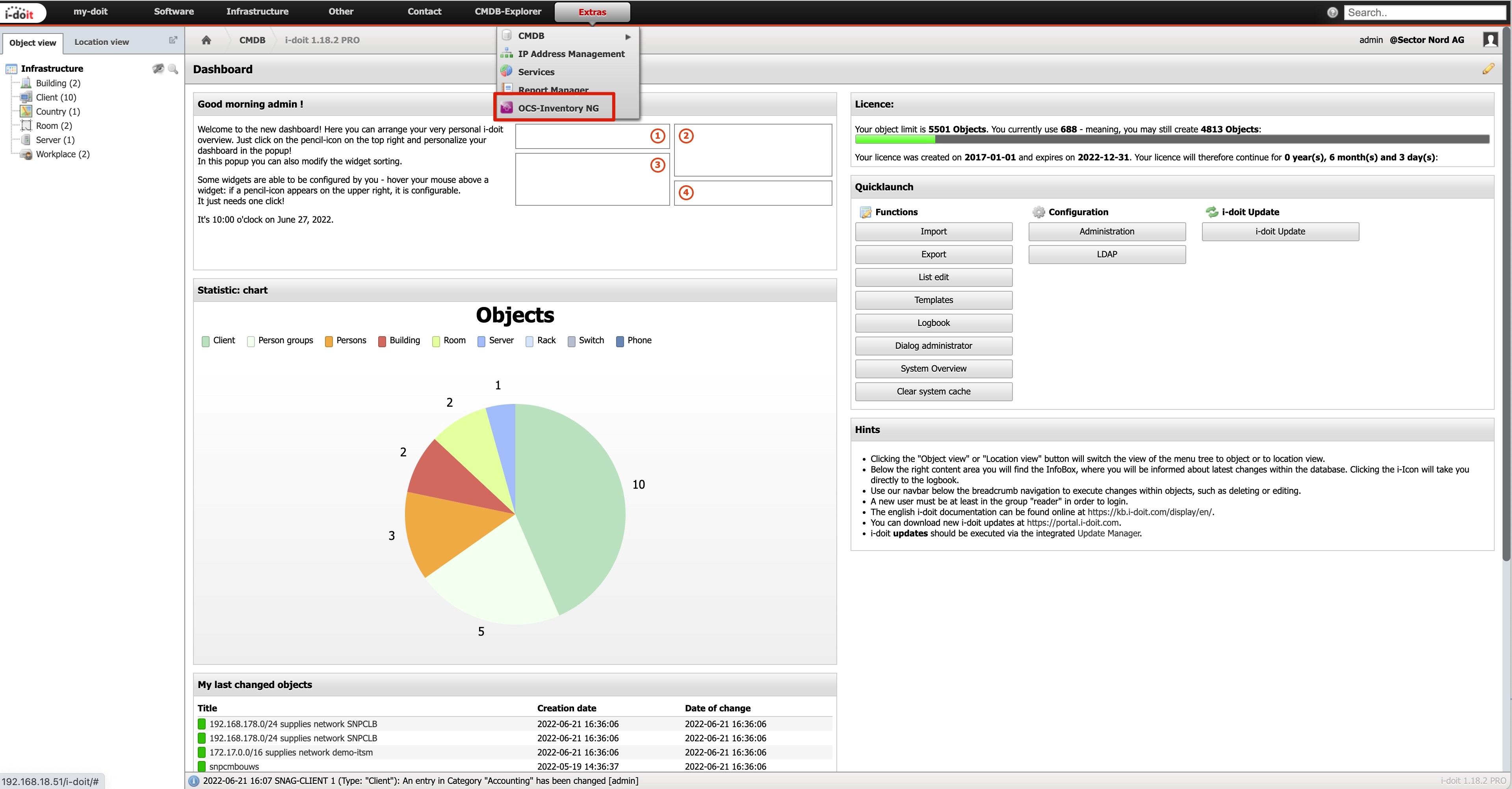
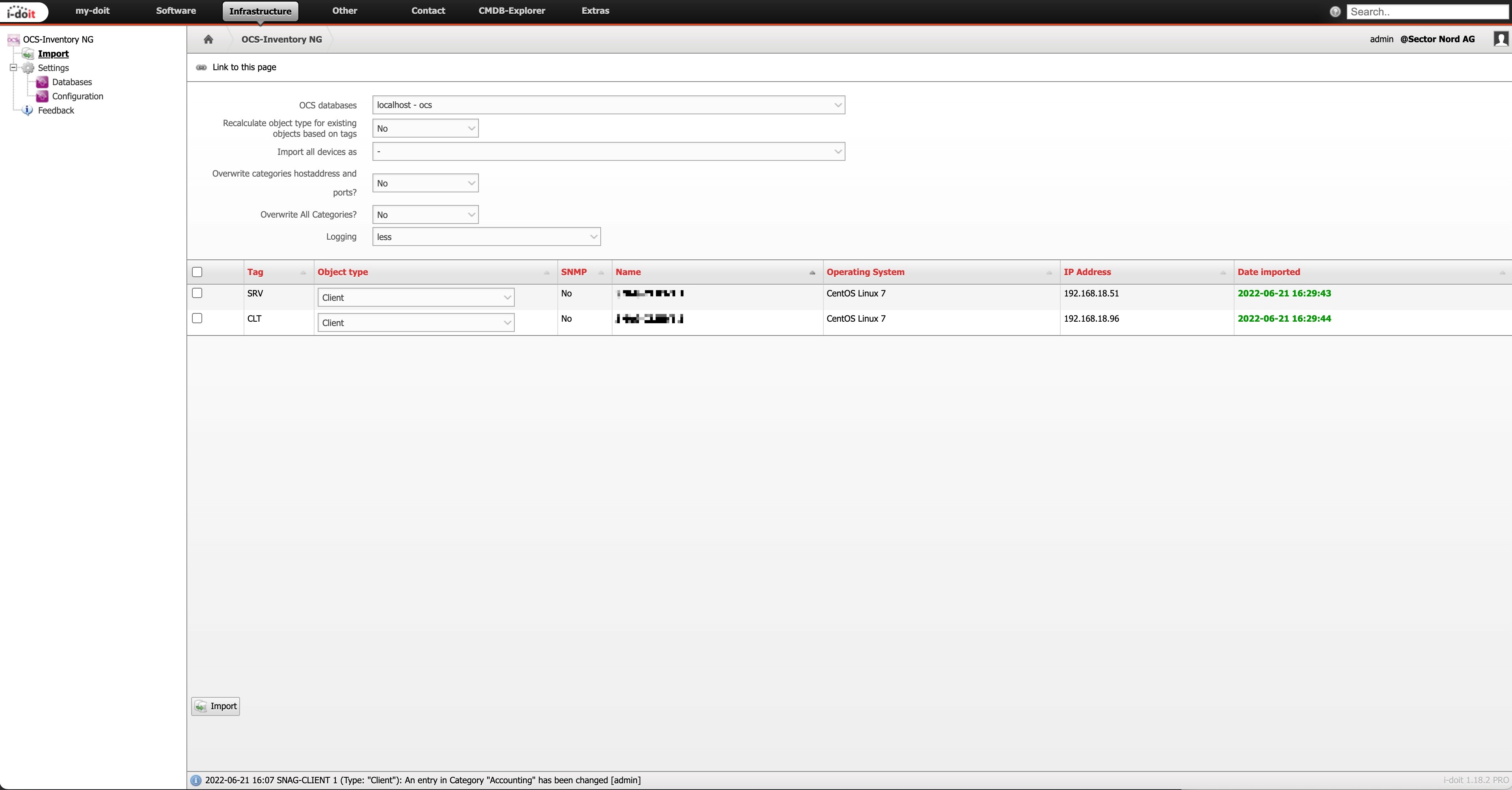
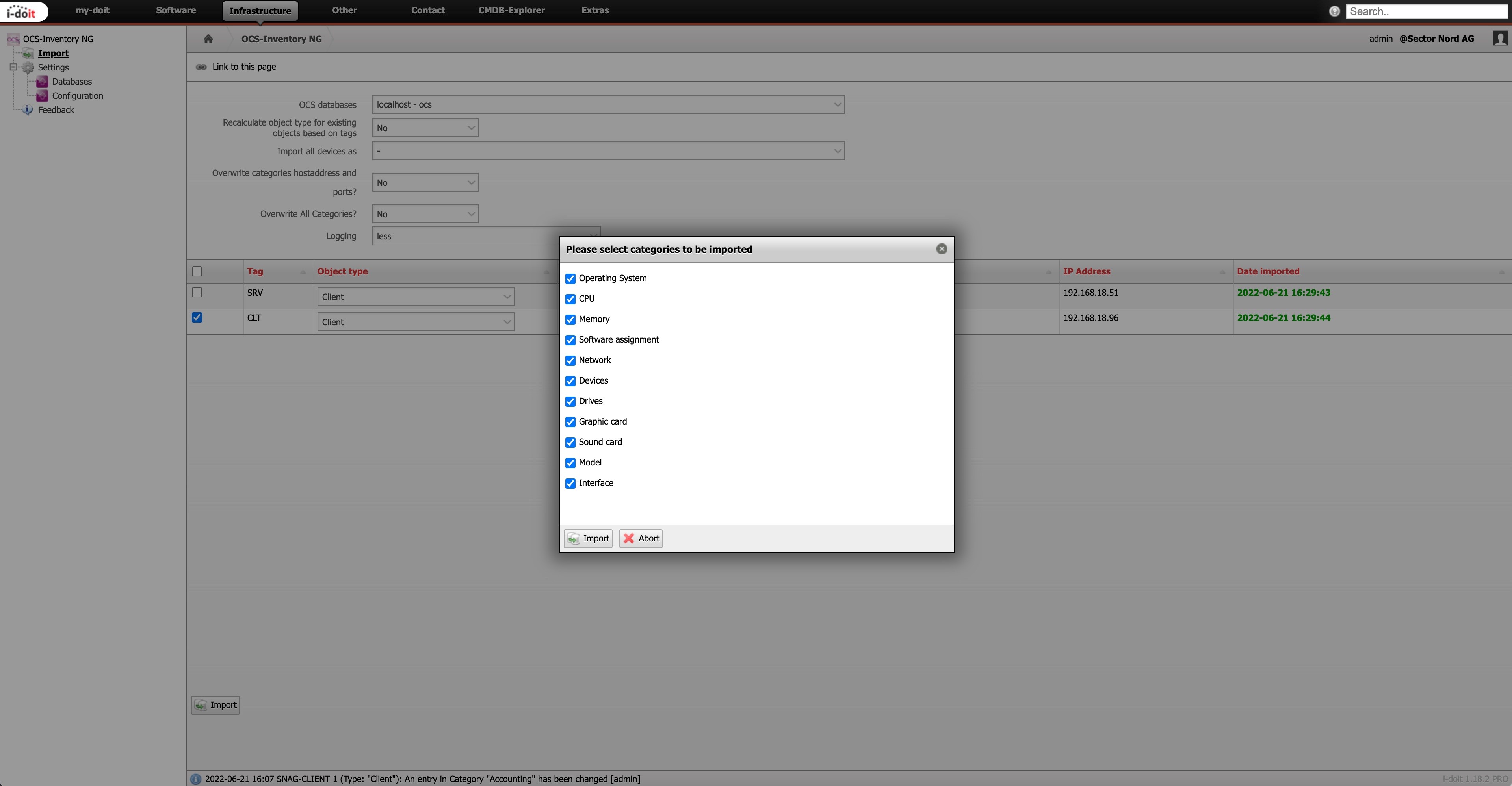
PREISE
Subscriptions*
IHR FEEDBACK
Subline
Ihre Vorteile mit dem OCS-Inventory Add-On
I-DOIT PRO OCS-INVENTORY ADD-ON
CHANGELOG
Release 1.6.0
- Added option to import custom tables (#155)
- Updated functions to php 8.4 (#156)
- Possible import of tables that are not connected to OCS (#159)
- Linked monitor objects to the ocs monitor category (#152)
- Fixed wrong displayed title in SNMP Import (#163)
Release 1.5.0

- Use standard template for object creation if configured (#72)
- Show calculated objecttype for new objects in import list (#76)
- Do not overwrite objecttype if recalculation is selected but there is no rule configured (#76)
- Import OCS tag to the OCS category (#151)
- Added option to skip host addresses from DHCP (#138)
- Improved object type mapping from wildcards to regex filter (#142)
- Added button on the import page to scroll to the top (#18)
- Ignore hosts with addresses from archieved layer 3 networks if configured (#143)
- Improved validation for ocs ip address and subnet (#144)
- Moved OCS device categories to the OCS folder (#149)
- Refactoring AJAX handling for better performance (#147)
- Added missing language constant (#148)
- Fixed filter for datetime fields in OCS category in Report Manager (#150)
- Refactoring installation routine (#146)
Release 1.4.4
- Fixed missing CMDB Event for creating IP or Host addresses (#124)
- Improved error handling if no ocs database is configured (#123)
- Added button to database config to check the connection to the OCS database (#119)
- Fixed internal config of ocs categories (#122)
- Fixed timeout during installation if many logbook entries exist (#126)
- Fixed combination of deleting network category without importing new network category (#132)
- Added option to control archived OCS objects (#125)
- Fixed permissions for snmp import profile (#133)
- Improved error handling for empty database config attributes (#118, #140
Release 1.4.3
- Fixed drag and drop of license file (#115)
- Updated icons to new i-doit design (#117)